Month: August 2014

  • How to fix ViewPager stop between fragments in Android

    How to fix ViewPager stop between fragments in Android

    This issue I’ve got in one of my projects. I want to share it with you.

    There a lot of code. I try to describe the concept.

    1. I have Activity which have ViewPager
    2. ViewPager display Fragments each of them have Loader for data retrieving.
    3. I display data on fragment if onFinishLoader receive data. Rendering data in the Fragment I make in the onFinishLoader method.

    My case: I make page flipping very fast. The data loads in the fragment and start rendering while flipping animation in action. This action stop ViewPager between fragments. Below you can see my graphics.

    ltAGZm

    To remove this issue you need just remove all complex functionality from onFinishLoader and replace all View.GONE with View.INVISIBLE.

    Let me know if you have better solution.

  • Using .AAR (Android Archive Library) libraries with Eclipse

    Using .AAR (Android Archive Library) libraries with Eclipse

    As you know Android Studio able to use .AAR (Android Archive Library) libraries in the projects.

    To use it in Eclipse you need just UNZIP this AAR library and get all JARs and Resources from this lib.
    Also it isn’t beautiful solution but it works for Eclipse.

    Please let me know if you know better solution.

    Look forward to hearing better solution from you!!!

  • Centering source image (android:src) for ImageButton in Android

    Centering source image (android:src) for ImageButton in Android

    For centering android:src in the ImageButton I use the next solution.

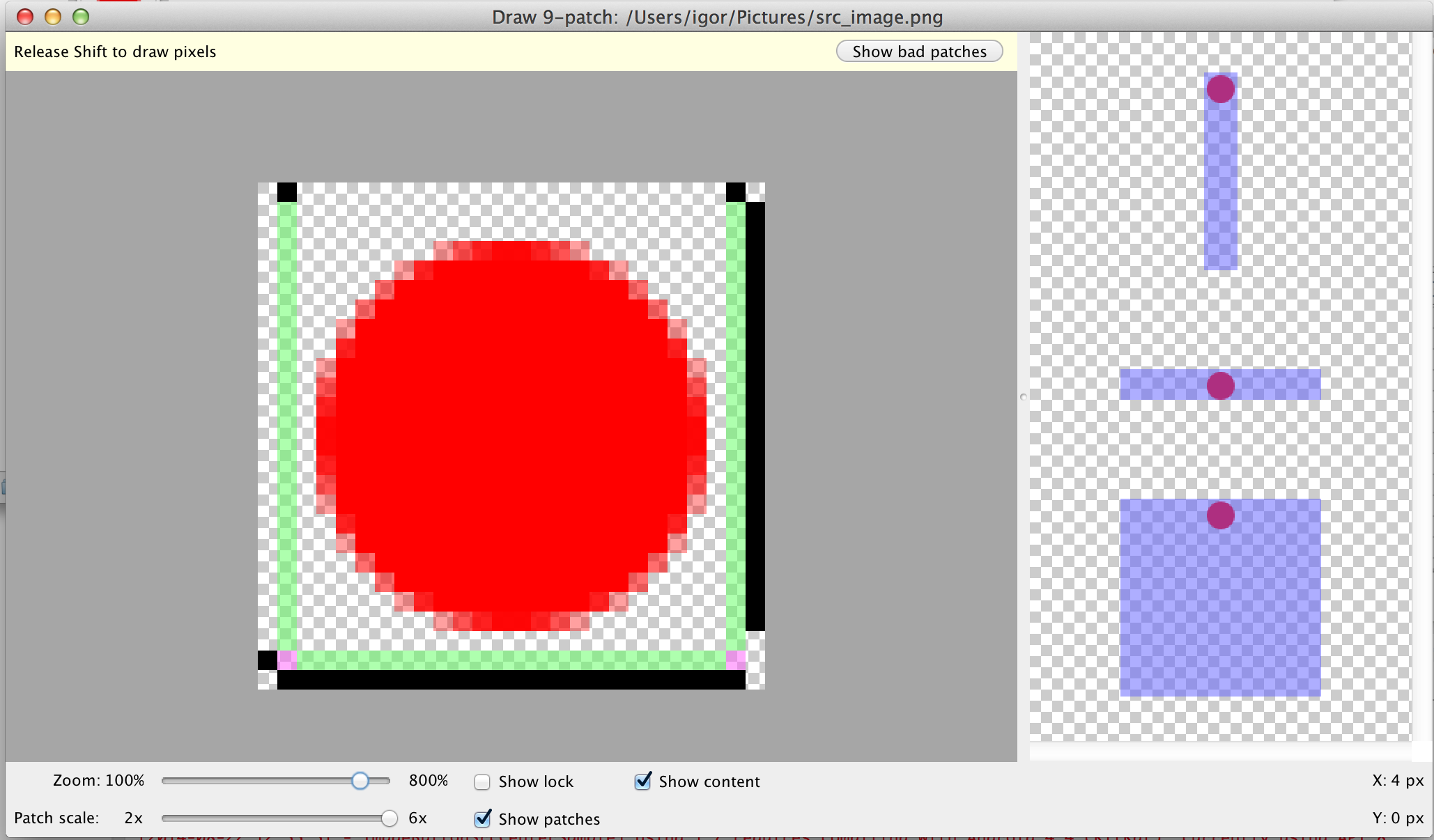
    First I need create 9-patch src image using next rules. Please look at the screenshot from draw9patch utility from Android SDK.

    draw9patch utility
    draw9patch utility

    Next you need add the 9-patch image into ImageButton like this:

    <ImageButton
    android:layout_width="200dp"
    android:layout_height="match_parent"
    android:scaleType="fitXY"
    android:src="@drawable/src_image" />

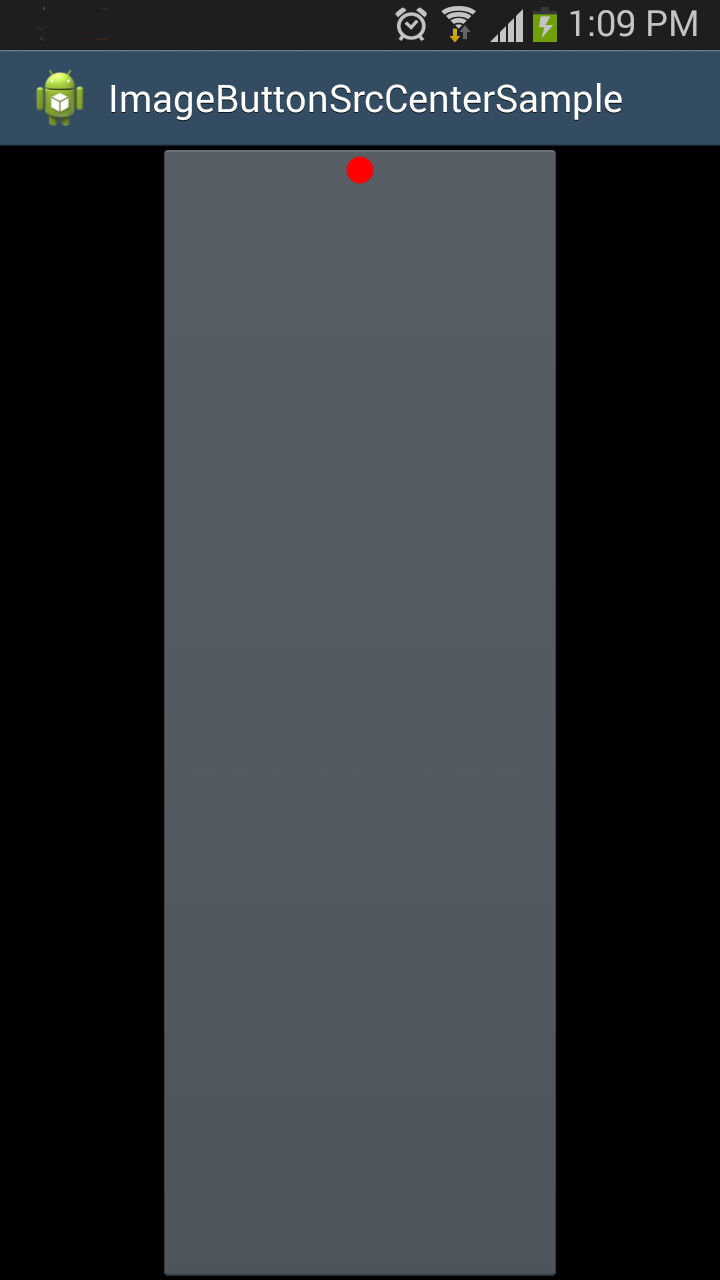
    And finally you will get the next screen:

    Result screen
    Result screen
    Download it from github