Month: October 2014

  • How to use LoaderManager in Android. Sample.

    How to use LoaderManager in Android. Sample.

    Here is very simple example how to use LoaderManager from “android.support.v4.app” package.

    This sample will help you create nice application which can very nice communicate with your web server.

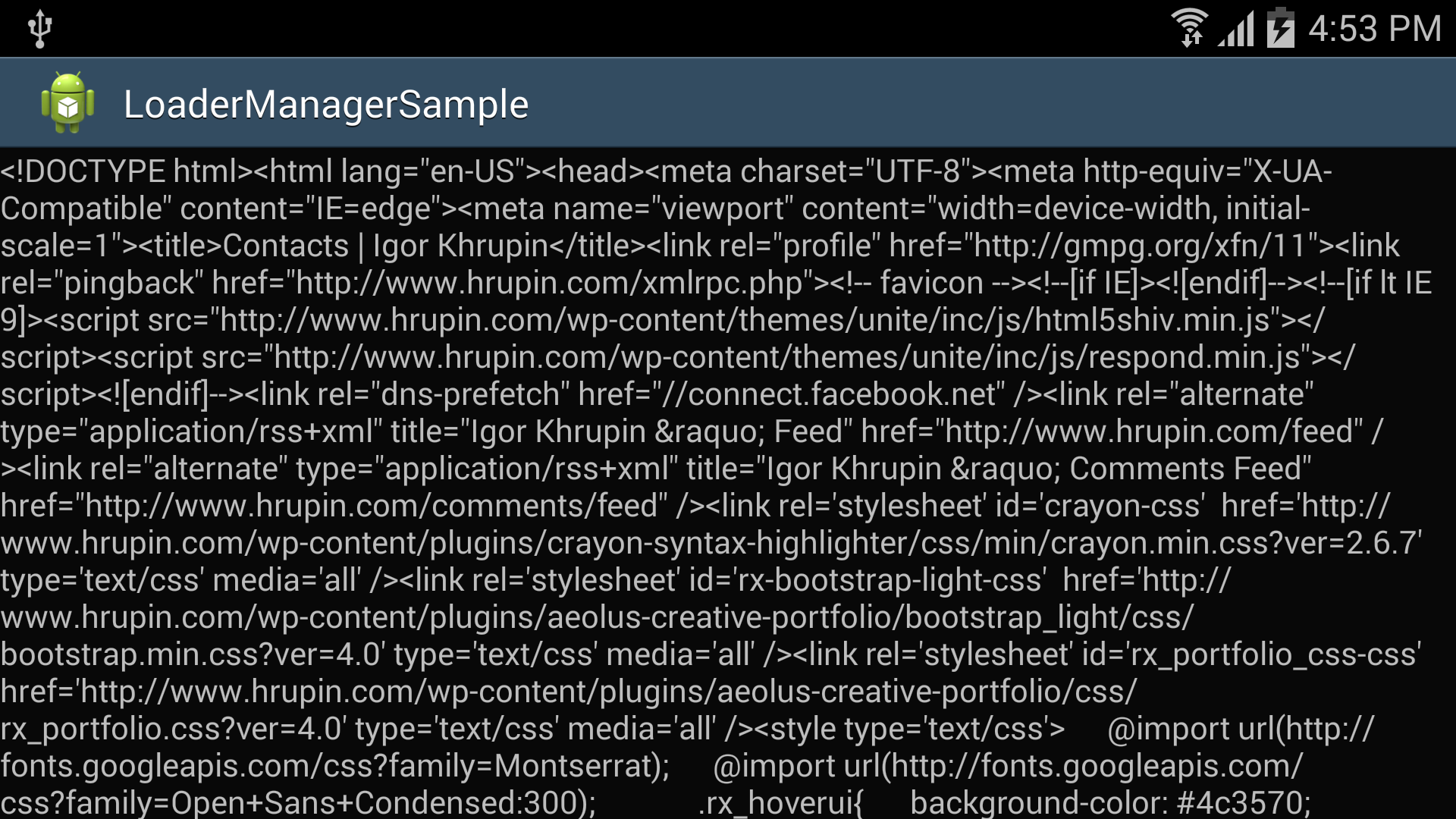
    The sample application looks like activity with ViewPager. Each Fragment in ViewPager adapter have implemented LoaderManager.LoaderCallbacks. Where “T” is returning type.
    It can be String or complex List, Map, ets. with objects.
    2014-10-23 13.53.45

    You can run the Loader and when data is loaded then show it.
    Below you can see how I use onLoadFinished method from LoaderManager.LoaderCallbacks interface for it.

    @Override
    	public Loader<String> onCreateLoader(int arg0, Bundle arg1) {
    		return new MyLoader(getActivity(), url);
    	}
    
    	@Override
    	public void onLoadFinished(Loader<String> arg0, String arg1) {
    		textView.setText(arg1);
    		hideProgress();
    	}


    Download it from github
  • How to use hexadecimal colours in iOS

    How to use hexadecimal colours in iOS

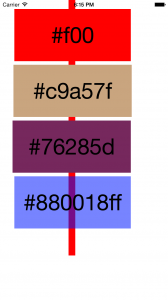
    I have develop the iOS application which based on design with hexadecimal colours (“#fff”, “#ff0000”, “#88ff0000”).

    To use the same in the iOS I’ve created special method witch can help me with it.

    iOS Simulator Screenshot
    iOS Simulator Screenshot

    Below you can see snippet of m-file.

    + (UIColor *) colorFromHexString:(NSString *)hexString {
        NSString *cleanString = [hexString stringByReplacingOccurrencesOfString:@"#" withString:@""];
        if([cleanString length] == 3) {
            NSString *red = [cleanString substringWithRange:NSMakeRange(0, 1)];
            NSString *green = [cleanString substringWithRange:NSMakeRange(1, 1)];
            NSString *blue = [cleanString substringWithRange:NSMakeRange(2, 1)];
            cleanString = [NSString stringWithFormat:@"ff%1$@%1$@%2$@%2$@%3$@%3$@", red, green, blue];
        }else if([cleanString length] == 6) {
            cleanString = [@"ff" stringByAppendingString:cleanString];
        }else{
            //do nothing
        }
        
        NSLog(@"%@", cleanString);
        
        unsigned int rgba;
        [[NSScanner scannerWithString:cleanString] scanHexInt:&rgba];
        
        CGFloat alpha = ((rgba & 0xFF000000) >> 24) / 255.0f;
        CGFloat red = ((rgba & 0x00FF0000) >> 16) / 255.0f;
        CGFloat green = ((rgba & 0x0000FF00) >> 8) / 255.0f;
        CGFloat blue = (rgba & 0x000000FF) / 255.0f;
        
        return [UIColor colorWithRed:red green:green blue:blue alpha:alpha];
    }
    Download it from github