Tag: mp3

  • Example of streaming mp3 mediafile from URL with Android MediaPlayer class

    Example of streaming mp3 mediafile from URL with Android MediaPlayer class

    Few days ago i tried to make my Android app can play music from URL.

    The Android API give to us a very useful class. Here i want show you how to make  the streaming m3 mediaplayer using MediaPlayer class from Android API. This app use Android 2.2.

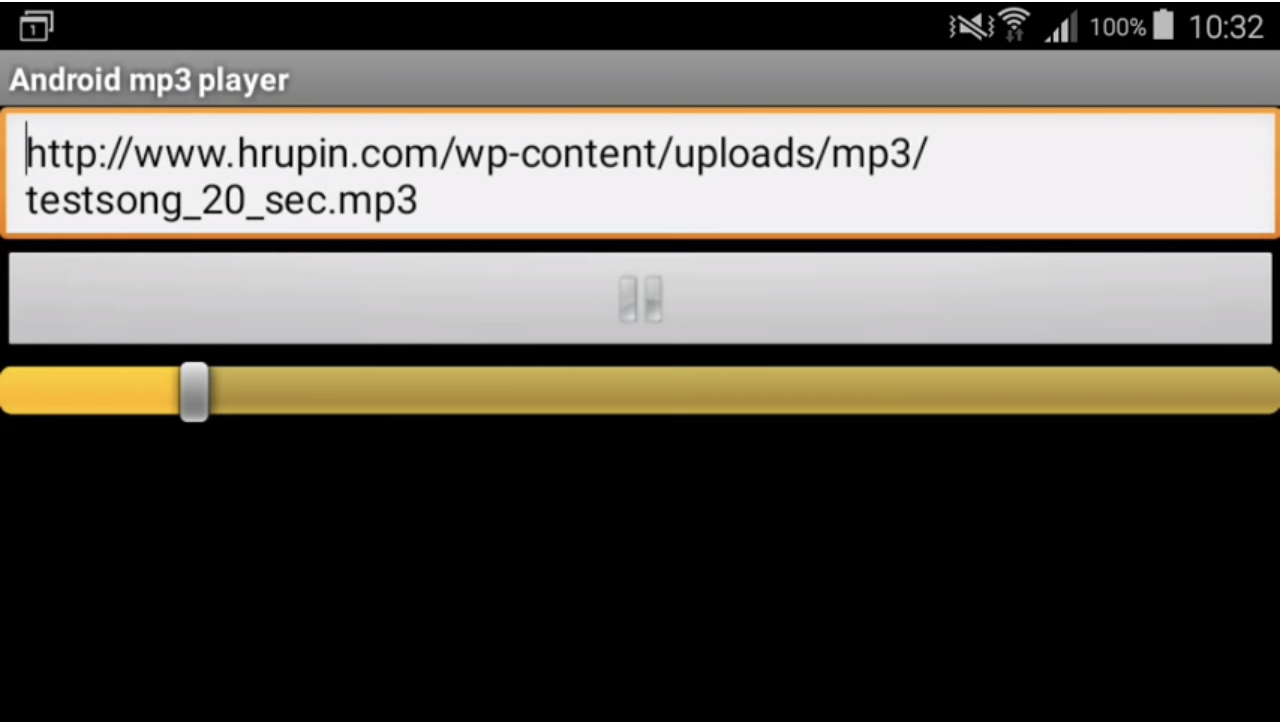
    Below you can see the UI of this app. It’s very simple. Also below you can get the link for downloading source code

    Here i show you only Activity file (StreamingMp3Player.java).

    package com.hrupin.streamingmedia;
    
    import android.app.Activity;
    import android.media.MediaPlayer;
    import android.media.MediaPlayer.OnBufferingUpdateListener;
    import android.media.MediaPlayer.OnCompletionListener;
    import android.os.Bundle;
    import android.os.Handler;
    import android.view.MotionEvent;
    import android.view.View;
    import android.view.View.OnClickListener;
    import android.view.View.OnTouchListener;
    import android.widget.EditText;
    import android.widget.ImageButton;
    import android.widget.SeekBar;
    
    import com.hrupin.media.R;
    
    public class StreamingMp3Player extends Activity implements OnClickListener, OnTouchListener, OnCompletionListener, OnBufferingUpdateListener{
    	
    	private ImageButton buttonPlayPause;
    	private SeekBar seekBarProgress;
    	public EditText editTextSongURL;
    	
    	private MediaPlayer mediaPlayer;
    	private int mediaFileLengthInMilliseconds; // this value contains the song duration in milliseconds. Look at getDuration() method in MediaPlayer class
    	
    	private final Handler handler = new Handler();
    	
    	/** Called when the activity is first created. */
        @Override
        public void onCreate(Bundle savedInstanceState) {
            super.onCreate(savedInstanceState);
            setContentView(R.layout.main);
            initView();
        }
        
        /** This method initialise all the views in project*/
        private void initView() {
    		buttonPlayPause = (ImageButton)findViewById(R.id.ButtonTestPlayPause);
    		buttonPlayPause.setOnClickListener(this);
    		
    		seekBarProgress = (SeekBar)findViewById(R.id.SeekBarTestPlay);	
    		seekBarProgress.setMax(99); // It means 100% .0-99
    		seekBarProgress.setOnTouchListener(this);
    		editTextSongURL = (EditText)findViewById(R.id.EditTextSongURL);
    		editTextSongURL.setText(R.string.testsong_20_sec);
    		
    		mediaPlayer = new MediaPlayer();
    		mediaPlayer.setOnBufferingUpdateListener(this);
    		mediaPlayer.setOnCompletionListener(this);
    	}
    
    	/** Method which updates the SeekBar primary progress by current song playing position*/
        private void primarySeekBarProgressUpdater() {
        	seekBarProgress.setProgress((int)(((float)mediaPlayer.getCurrentPosition()/mediaFileLengthInMilliseconds)*100)); // This math construction give a percentage of "was playing"/"song length"
    		if (mediaPlayer.isPlaying()) {
    			Runnable notification = new Runnable() {
    		        public void run() {
    		        	primarySeekBarProgressUpdater();
    				}
    		    };
    		    handler.postDelayed(notification,1000);
        	}
        }
    
    	@Override
    	public void onClick(View v) {
    		if(v.getId() == R.id.ButtonTestPlayPause){
    			 /** ImageButton onClick event handler. Method which start/pause mediaplayer playing */
    			try {
    				mediaPlayer.setDataSource(editTextSongURL.getText().toString()); // setup song from https://www.hrupin.com/wp-content/uploads/mp3/testsong_20_sec.mp3 URL to mediaplayer data source
    				mediaPlayer.prepare(); // you must call this method after setup the datasource in setDataSource method. After calling prepare() the instance of MediaPlayer starts load data from URL to internal buffer. 
    			} catch (Exception e) {
    				e.printStackTrace();
    			}
    			
    			mediaFileLengthInMilliseconds = mediaPlayer.getDuration(); // gets the song length in milliseconds from URL
    			
    			if(!mediaPlayer.isPlaying()){
    				mediaPlayer.start();
    				buttonPlayPause.setImageResource(R.drawable.button_pause);
    			}else {
    				mediaPlayer.pause();
    				buttonPlayPause.setImageResource(R.drawable.button_play);
    			}
    			
    			primarySeekBarProgressUpdater();
    		}
    	}
    
    	@Override
    	public boolean onTouch(View v, MotionEvent event) {
    		if(v.getId() == R.id.SeekBarTestPlay){
    			/** Seekbar onTouch event handler. Method which seeks MediaPlayer to seekBar primary progress position*/
    			if(mediaPlayer.isPlaying()){
    		    	SeekBar sb = (SeekBar)v;
    				int playPositionInMillisecconds = (mediaFileLengthInMilliseconds / 100) * sb.getProgress();
    				mediaPlayer.seekTo(playPositionInMillisecconds);
    			}
    		}
    		return false;
    	}
    
    	@Override
    	public void onCompletion(MediaPlayer mp) {
    		 /** MediaPlayer onCompletion event handler. Method which calls then song playing is complete*/
    		buttonPlayPause.setImageResource(R.drawable.button_play);
    	}
    
    	@Override
    	public void onBufferingUpdate(MediaPlayer mp, int percent) {
    		/** Method which updates the SeekBar secondary progress by current song loading from URL position*/
    		seekBarProgress.setSecondaryProgress(percent);
    	}
    }
    

    I hope it will be useful for you.

    Please download if you want to see some other file from this Android project.

    Download it from github
  • Simple Android mp3 media player example

    Simple Android mp3 media player example

    Here i want to write about my first experience in Android Dev.
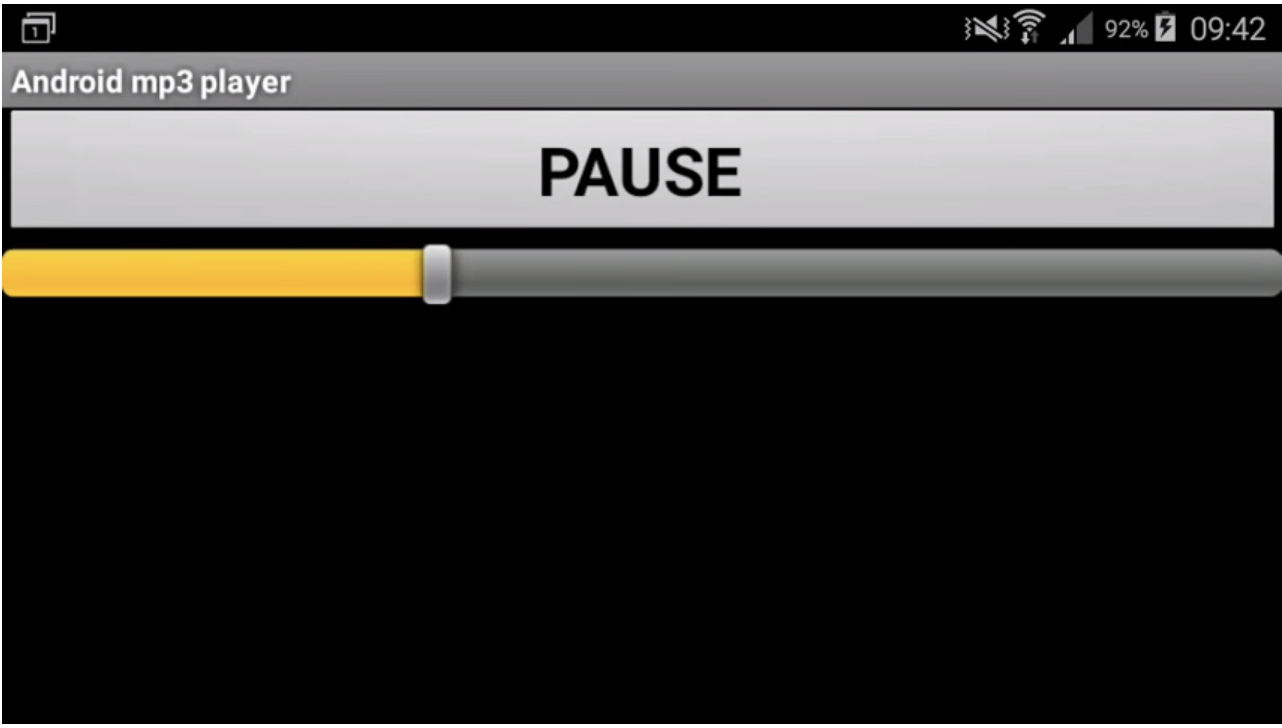
    This application just play embedded in application mp3 file. That’s all.
    Below you can download the source code.
    In first step i create a simple Android UI. Below you can see this:

    <?xml version="1.0" encoding="utf-8"?>
    <RelativeLayout
    android:id="@+id/widget31"
    android:layout_width="fill_parent"
    android:layout_height="fill_parent"
    xmlns:android="http://schemas.android.com/apk/res/android">
        <Button
            android:text="@string/play_str"
            android:textSize="15pt"
            android:textStyle="bold"
            android:id="@+id/ButtonPlayStop"
            android:layout_width="fill_parent"
            android:layout_height="wrap_content"/>
        <SeekBar
            android:id="@+id/SeekBar01"
            android:layout_height="wrap_content"
            android:layout_width="fill_parent"
            android:layout_below="@id/ButtonPlayStop"/>
    </RelativeLayout>

    In my simple mp3 media player i have few string constans, like “PLAY”, “PAUSE”, etc. The best practice is place this constats in special part of project. That part call values. In this part i Eclipse create for me strings.xml file and change it. Bellow you can see strings.xml content:

    <?xml version="1.0" encoding="utf-8"?>
    <resources>
        <string name="app_name">Android mp3 player</string>
        <string name="play_str">PLAY</string>
        <string name="pause_str">PAUSE</string>
    </resources>

    It’s very simple and useful practice.

    Next i make changes in Activity file (Mp3player.java). Bellow i give you some comments about it:

    package com.hrupin.mp3player;
    
    import com.hrupin.mp3player.R;
    
    import android.app.Activity;
    import android.media.MediaPlayer;
    import android.os.Bundle;
    import android.os.Handler;
    import android.view.MotionEvent;
    import android.view.View;
    import android.view.View.OnClickListener;
    import android.view.View.OnTouchListener;
    import android.widget.Button;
    import android.widget.SeekBar;
    
    public class Mp3player extends Activity {
    
        private Button buttonPlayStop;
        private MediaPlayer mediaPlayer;
        private SeekBar seekBar;
    
        private final Handler handler = new Handler();
    
        // Here i override onCreate method.
        //
        // setContentView() method set the layout that you will see then
        // the application will starts
        //
        // initViews() method i create to init views components.
        @Override
        public void onCreate(Bundle icicle) {
                super.onCreate(icicle);
                setContentView(R.layout.main);
                initViews();  
    
        }
    
        // This method set the setOnClickListener and method for it (buttonClick())
        private void initViews() {
            buttonPlayStop = (Button) findViewById(R.id.ButtonPlayStop);
            buttonPlayStop.setOnClickListener(new OnClickListener() {@Override public void onClick(View v) {buttonClick();}});
    
            mediaPlayer = MediaPlayer.create(this, R.raw.testsong_20_sec); 
    
            seekBar = (SeekBar) findViewById(R.id.SeekBar01);
            seekBar.setMax(mediaPlayer.getDuration());
            seekBar.setOnTouchListener(new OnTouchListener() {@Override public boolean onTouch(View v, MotionEvent event) {
            	seekChange(v);
    			return false; }
    		});
    
        }
    
        public void startPlayProgressUpdater() {
        	seekBar.setProgress(mediaPlayer.getCurrentPosition());
    
    		if (mediaPlayer.isPlaying()) {
    			Runnable notification = new Runnable() {
    		        public void run() {
    		        	startPlayProgressUpdater();
    				}
    		    };
    		    handler.postDelayed(notification,1000);
        	}else{
        		mediaPlayer.pause();
        		buttonPlayStop.setText(getString(R.string.play_str));
        		seekBar.setProgress(0);
        	}
        } 
    
        // This is event handler thumb moving event
        private void seekChange(View v){
        	if(mediaPlayer.isPlaying()){
    	    	SeekBar sb = (SeekBar)v;
    			mediaPlayer.seekTo(sb.getProgress());
    		}
        }
    
        // This is event handler for buttonClick event
        private void buttonClick(){
            if (buttonPlayStop.getText() == getString(R.string.play_str)) {
                buttonPlayStop.setText(getString(R.string.pause_str));
                try{
                	mediaPlayer.start();
                    startPlayProgressUpdater();
                }catch (IllegalStateException e) {
                	mediaPlayer.pause();
                }
            }else {
                buttonPlayStop.setText(getString(R.string.play_str));
                mediaPlayer.pause();
            }
        }
    }
    Download it from github