Send email with text file as attachment android sample
Here is little sample how to send email (send intent to Mail app) with text file as attachment.
Screenshot:
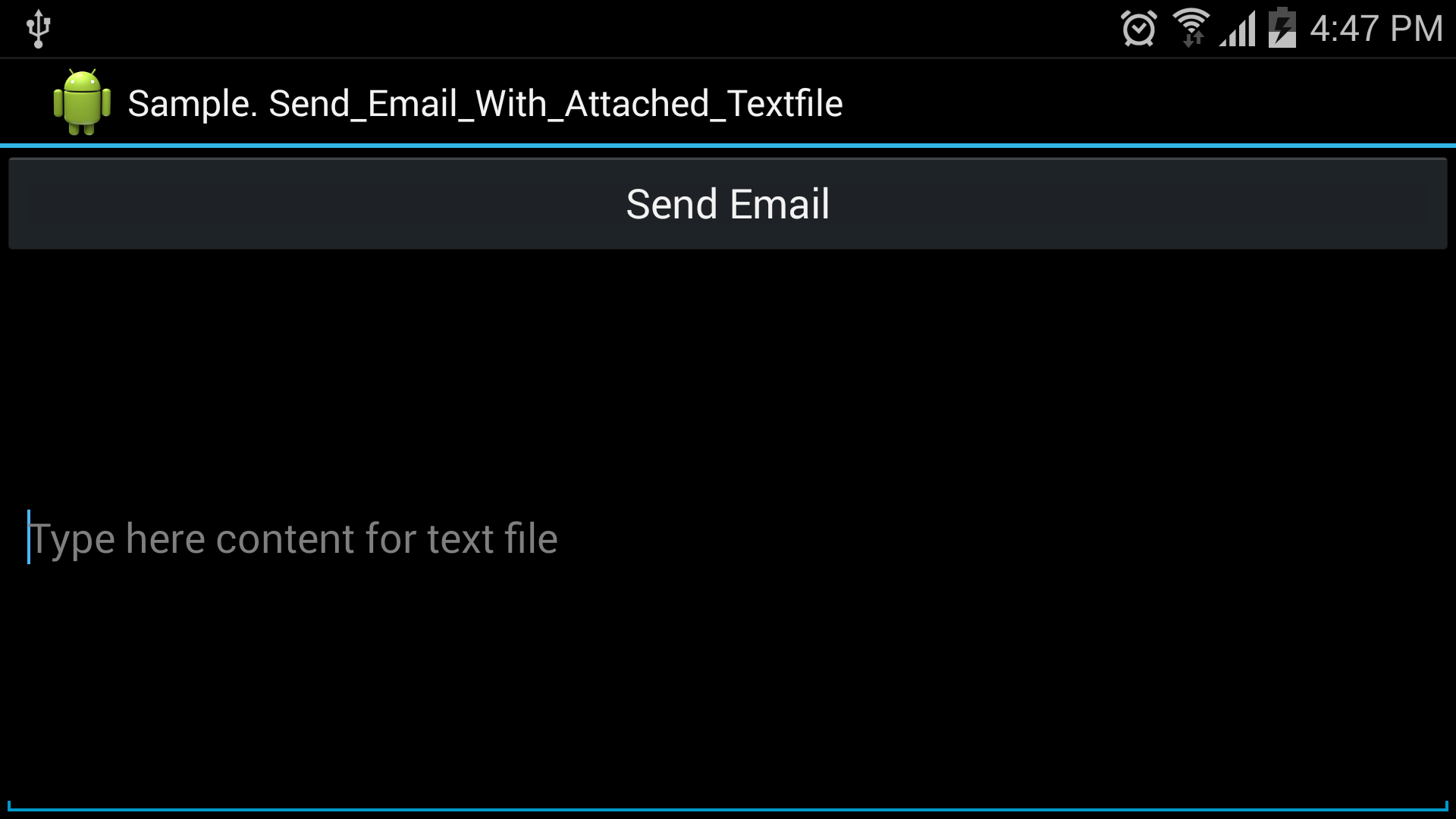
And here is source code of main feature:
private void sendIntentToGmailApp(File fileToSend) {
        if(fileToSend != null){
            Intent email = new Intent(Intent.ACTION_SEND);
            email.putExtra(Intent.EXTRA_SUBJECT, "Send Text File As Attachment Example");
            email.putExtra(Intent.EXTRA_TEXT, emailBody);
            email.putExtra(Intent.EXTRA_STREAM, Uri.parse("file://" + fileToSend.getAbsoluteFile()));
            email.setType("message/rfc822");
            startActivity(Intent.createChooser(email , "Send Text File"));
        }
    }
I make the text file with sample text before sending. This need to make this sample works.
The full MainActivity.java is:
package com.hrupin.samples.sendemail;

import android.app.Activity;
import android.content.Intent;
import android.net.Uri;
import android.os.Bundle;
import android.os.Environment;
import android.text.TextUtils;
import android.view.View;
import android.widget.Button;
import android.widget.EditText;
import android.widget.Toast;

import java.io.File;
import java.io.FileWriter;
import java.io.IOException;


public class MainActivity extends Activity implements View.OnClickListener {

    private static final String FILENAME = "TextFileToSend.txt";
    private Button btnSend;
    private EditText editText;
    private FileWriter writer;
    private String emailBody;

    @Override
    protected void onCreate(Bundle savedInstanceState) {
        super.onCreate(savedInstanceState);
        setContentView(R.layout.activity_main);

        btnSend = (Button)findViewById(R.id.button);
        btnSend.setOnClickListener(this);

        editText = (EditText)findViewById(R.id.editText);

        emailBody = "This is email from '" + getString(R.string.app_name) + "' application. Details you can read here: https://www.hrupin.com/2014/12/send-email-with-text-file-as-attachment-android-sample";
    }

    @Override
    public void onClick(View view) {
        File fileToSend = createFileWithContent(editText.getText().toString());

        sendIntentToGmailApp(fileToSend);
    }

    private void sendIntentToGmailApp(File fileToSend) {
        if(fileToSend != null){
            Intent email = new Intent(Intent.ACTION_SEND);
            email.putExtra(Intent.EXTRA_SUBJECT, "Send Text File As Attachment Example");
            email.putExtra(Intent.EXTRA_TEXT, emailBody);
            email.putExtra(Intent.EXTRA_STREAM, Uri.parse("file://" + fileToSend.getAbsoluteFile()));
            email.setType("message/rfc822");
            startActivity(Intent.createChooser(email , "Send Text File"));
        }
    }

    private File createFileWithContent(String content) {
        if(TextUtils.isEmpty(content)){
            content = emailBody;
        }
        File file = null;
        try{
            file = new File(Environment.getExternalStoragePublicDirectory(Environment.DIRECTORY_DOWNLOADS), FILENAME);

            writer = new FileWriter(file);
            writer.write(content);
            writer.close();
            Toast.makeText(getBaseContext(), "Temporarily saved contents in " + file.getPath(), Toast.LENGTH_LONG).show();
        }catch(IOException e){
            Toast.makeText(getBaseContext(), "Unable create temp file. Check logcat for stackTrace", Toast.LENGTH_LONG).show();
            e.printStackTrace();
        }
        return file;
    }
}
Don’t forget add permissions in the
<uses-permission android:name="android.permission.WRITE_EXTERNAL_STORAGE" />
<uses-permission android:name="android.permission.READ_EXTERNAL_STORAGE" />
Full source code you can fork from github


1 Comment
SUKHVIR SINGH · 14 September, 2017 at 11:51
sir , I try on this code but error while run on mobile through android studio error is ” permission is denied for attachment ”
if your code use “file = new File(Environment.getExternalStoragePublicDirectory(Environment.DIRECTORY_DOWNLOADS), FILENAME);” then IOException error (“Unable create temp file. Check logcat for stackTrace”)
if this code change with (file = new File(getFilesDir(),FILENAME);) then file save no IOException error and click on gmail then display error (” permission is denied for attachment “)
note:- my mobile redme note 3 and no sd card facility in it
Please any other solution to solve this problem
thanks: