Here is my sample for Google Maps V2 Clustering
Docs here: https://developers.google.com/maps/documentation/android-api/utility/marker-clustering#introduction
App in action:
Fork on github:

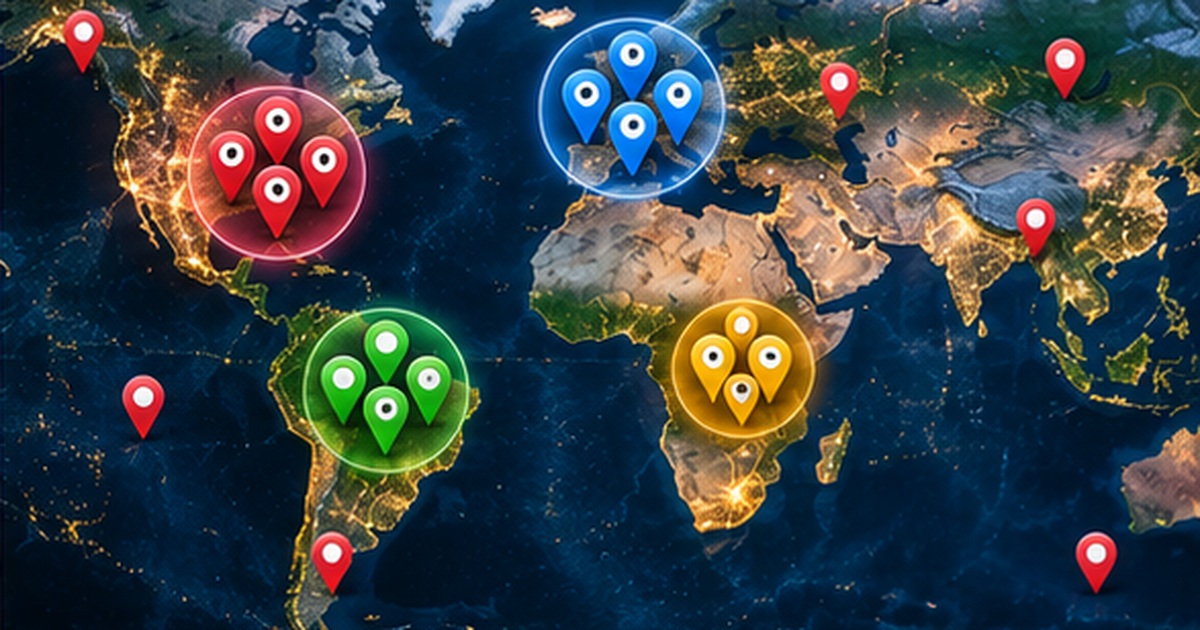
Here is my sample for Google Maps V2 Clustering
Docs here: https://developers.google.com/maps/documentation/android-api/utility/marker-clustering#introduction
App in action:
Fork on github:
Problem happens when you have more than one developer in the Android team or you develop project from different computers.
Some APIs or functionality depends on keystore which sign the APK. For example Facebook API.
To make life easier you need keep your debug.keystore same for all your computers/developers.
But, it isn’t solution!
How to make it?
You can keep debug.keystore in your project and link it for signing automatically.
Gradle help with it.
Here is gradle config with current functionality.
apply plugin: 'com.android.application'

android {
    compileSdkVersion 23
    buildToolsVersion "23.0.3"

    signingConfigs {
        debug {
            storeFile file('../keystore/debug.keystore.jks')
            storePassword "android"
            keyAlias "android"
            keyPassword "android"
        }

        release {
            storeFile file('../keystore/release.keystore.jks')
            storePassword "releaseStorePassHere"
            keyAlias "releaseAliasHere"
            keyPassword "releaseKeyPassHere"
        }
    }

    defaultConfig {
        applicationId "com.hrupin.sampleapp"
        minSdkVersion 21
        targetSdkVersion 23
        versionCode 1
        versionName "1.0"
    }
    buildTypes {
        release {
            signingConfig signingConfigs.release
            proguardFiles getDefaultProguardFile('proguard-android.txt'), 'proguard-rules.pro'
            zipAlignEnabled true
            minifyEnabled true
        }
    }
}

dependencies {
    compile fileTree(dir: 'libs', include: ['*.jar'])
    testCompile 'junit:junit:4.12'
    compile 'com.android.support:appcompat-v7:23.3.0'
}
The important part is here:
signingConfigs {
        debug {
            storeFile file('../keystore/debug.keystore.jks')
            storePassword "android"
            keyAlias "android"
            keyPassword "android"
        }

        release {
            storeFile file('../keystore/release.keystore.jks')
            storePassword "releaseStorePassHere"
            keyAlias "releaseAliasHere"
            keyPassword "releaseKeyPassHere"
        }
    }
storeFile file(‘../keystore/debug.keystore.jks’) – related path to keystore
Nice coding!
Here is sample for loop tabs in Android.
Video with sample application in action
Lets show how it works.
1. I have Tab enum which describe Tab element. Also you can handle tab state. I don’t do it in this sample.
package com.hrupin.looptabs.infinitetabbar;

import com.hrupin.looptabs.R;

/**
 * Created by Igor Khrupin www.hrupin.com on 03/05/16.
 */
public enum Tab {
    TAB_1(R.drawable.ic_tab_1_act, R.drawable.ic_tab_1, 0),
    TAB_2(R.drawable.ic_tab_2_act, R.drawable.ic_tab_2, 1),
    TAB_3(R.drawable.ic_tab_3_act, R.drawable.ic_tab_3, 2);

    private final int resActive;
    private final int resInctive;
    private final int index;

    public int getResActive() {
        return resActive;
    }

    public int getResInctive() {
        return resInctive;
    }

    public int getIndex() {
        return index;
    }

    Tab(int resActive, int resInctive, int index) {
        this.resActive = resActive;
        this.resInctive = resInctive;
        this.index = index;
    }
}
2. Project has View for tabs which extended from TabCloneableView. Here you can work around tab state. And tab transition between tabs.
package com.hrupin.looptabs.infinitetabbar;

import android.content.Context;
import android.view.View;
import android.widget.ImageView;
import android.widget.TextView;

import com.hrupin.looptabs.R;

/**
 * Created by Igor Khrupin www.hrupin.com on 03/05/16.
 */
public class TabView extends TabCloneableView {

    private static final String TAG = "TabView";

    public enum State {
        INACTIVE, INACTIVE_PRESSED, ACTIVE, ACTIVE_PRESSED;
    }

    private Tab tab;
    private State state = State.INACTIVE;
    private ImageView ivInActive;
    private ImageView ivActive;
    private TextView tvIndex;

    public TabView(Context context) {
        super(context);
        View.inflate(context, R.layout.item_tab, this);
        this.ivInActive = (ImageView) findViewById(R.id.iv_inactive);
        this.ivActive = (ImageView) findViewById(R.id.iv_active);
        this.tvIndex = (TextView) findViewById(R.id.index);
    }

    public TabView clone() {
        TabView vw = new TabView(this.getContext());
        vw.switchState(State.INACTIVE);
        vw.setId((int) (Math.random() * 10000));
        vw.setTag(this.getTag());
        vw.setTab(this.getTab());
        return vw;
    }

    public void setTab(Tab tab) {
        this.tab = tab;
        this.ivActive.setImageResource(tab.getResActive());
        this.ivInActive.setImageResource(tab.getResInctive());
        this.tvIndex.setText(tab.getIndex() + "");
    }

    public Tab getTab() {
        return tab;
    }

    public State getState() {
        return state;
    }

    public void switchState(State state) {
        this.state = state;
        switch (state) {
            case ACTIVE:
                this.ivActive.setAlpha(1f);
                this.ivInActive.setAlpha(0f);
                break;
            case INACTIVE:
                this.ivActive.setAlpha(0f);
                this.ivInActive.setAlpha(1f);
                break;
            case ACTIVE_PRESSED:
                this.ivActive.setAlpha(0.6f);
                this.ivInActive.setAlpha(0f);
                break;
            case INACTIVE_PRESSED:
                this.ivActive.setAlpha(0f);
                this.ivInActive.setAlpha(0.6f);
                break;
        }
    }

    public void setPositionOffset(boolean isNext, float positionOffset) {
        float activeAlpha = positionOffset;
        float inActiveAlpha = 1f - positionOffset;
        if (isNext) {
            this.ivActive.setAlpha(activeAlpha);
            this.ivInActive.setAlpha(inActiveAlpha);
        } else {
            this.ivActive.setAlpha(inActiveAlpha);
            this.ivInActive.setAlpha(activeAlpha);
        }
    }

    @Override
    public String toString() {
        return "TV{" +
                "t=" + tab +
                //", state=" + state +
                ",i=" + tab.getIndex() +
                '}';
    }
}
3. TabCloneableView class
package com.hrupin.looptabs.infinitetabbar;

import android.content.Context;
import android.util.AttributeSet;
import android.widget.RelativeLayout;

/**
 * Created by Igor Khrupin www.hrupin.com on 03/05/16.
 */

public abstract class TabCloneableView extends RelativeLayout {

	public TabCloneableView(Context context) {
		super(context);
		// TODO Auto-generated constructor stub
	}
	public TabCloneableView(Context context, AttributeSet attrs) {
		super(context,attrs);

		// TODO Auto-generated constructor stub
	}
	public abstract TabCloneableView clone();
}
4. The most of magic located in the TabInfiniteScrollView. This View contains TabView objects and work with them.
package com.hrupin.looptabs.infinitetabbar;
import android.app.Activity;
import android.content.Context;
import android.os.Handler;
import android.util.Log;
import android.view.MotionEvent;
import android.view.View;
import android.widget.FrameLayout;
import android.widget.RelativeLayout;
import com.hrupin.looptabs.looppager.LoopViewPager;
import java.util.ArrayList;
import java.util.Collections;
import java.util.Comparator;
import java.util.concurrent.atomic.AtomicInteger;
/**
* Created by Igor Khrupin www.hrupin.com on 03/05/16.
*/
public class TabInfiniteScrollView extends FrameLayout implements View.OnTouchListener {
private static final String TAG = "TabInfiniteScrollView";
private final static int SWIPE_OR_CLICK_ACTION_THRESHHOLD = 150;
private static boolean touchDown = false;
private final float tabWidth;
private Context context;
private ArrayList<TabCloneableView> carouselItems;
private TabCloneableView replicaF, replicaB;
private int itemCount = 0;
private float scrollX;
private float firstX;
private float firstY;
private TabSize itemSize;
private boolean isScrolling = false;
private LoopViewPager viewPager;
public TabInfiniteScrollView(Context ctx, TabSize itemsize) {
super(ctx);
context = ctx;
itemSize = itemsize;
tabWidth = itemSize.width;
RelativeLayout.LayoutParams sparams = new RelativeLayout.LayoutParams(LayoutParams.MATCH_PARENT, LayoutParams.WRAP_CONTENT);
this.setClipChildren(true);
this.setLayoutParams(sparams);
this.setOnTouchListener(this);
carouselItems = new ArrayList<TabCloneableView>();
setHorizontalScrollBarEnabled(false);
}
@Override
public boolean onInterceptHoverEvent(MotionEvent event) {
//return super.onInterceptHoverEvent(event);
return false;
}
@Override
public boolean onInterceptTouchEvent(MotionEvent event) {
//return super.onInterceptTouchEvent(ev);
return false;
}
@Override
public boolean onTouch(View arg0, MotionEvent arg1) {
switch (arg1.getAction()) {
case MotionEvent.ACTION_DOWN:
firstX = arg1.getX();
firstY = arg1.getY();
touchDown = true;
if (isLeftTab()) {
//TODO handle tab state
} else if (isRightTab()) {
//TODO handle tab state
} else {
//TODO handle tab state
}
return true;
case MotionEvent.ACTION_UP: {
touchDown = false;
float finishX = arg1.getX();
float finishY = arg1.getY();
if (isAClick(firstX, finishX, firstY, finishY)) {
if (isLeftTab()) {
swipeLeft(true);
} else if (isRightTab()) {
swipeRight(true);
}
} else {
if (isLeftTab()) {
//TODO handle tab state
} else if (isRightTab()) {
//TODO handle tab state
} else {
//TODO handle tab state
}
}
firstX = 0;
firstY = 0;
}
case MotionEvent.ACTION_OUTSIDE: {
if (isLeftTab()) {
//TODO handle tab state
} else if (isRightTab()) {
//TODO handle tab state
} else {
//TODO handle tab state
}
}
case MotionEvent.ACTION_MOVE:
float finishX = arg1.getX();
if (touchDown) {
float differenceX = firstX - finishX;
if (Math.abs(differenceX) > SWIPE_OR_CLICK_ACTION_THRESHHOLD) {
if (differenceX > 0) {
swipeRight(true);
} else {
swipeLeft(true);
}
}
}
break;
}
return false;
}
private boolean isRightTab() {
return firstX > 2 * tabWidth && firstX < 3 * tabWidth;
}
private boolean isLeftTab() {
return firstX > 0 && firstX < tabWidth;
}
public void swipeLeft(boolean triggerViewPager) {
swipe(tabWidth);
if(triggerViewPager) {
viewPager.swipeLeft();
}
}
public void swipeRight(boolean triggerViewPager) {
swipe(-tabWidth);
if(triggerViewPager) {
viewPager.swipeRight();
}
}
private void swipe(final float delta) {
if (!isScrolling) {
isScrolling = true;
final float step = delta / 10f;
scrollX = step;
new ScrollTimerTask().run();
final Handler handler = new Handler();
final java.util.concurrent.atomic.AtomicInteger n = new AtomicInteger(1);
final Runnable counter = new Runnable() {
@Override
public void run() {
if (n.getAndIncrement() == 11) {
isScrolling = false;
touchDown = false;
firstX = 0;
scrollX = 0;
} else {
new ScrollTimerTask().run();
handler.postDelayed(this, 10);
}
}
};
handler.postDelayed(counter, 10);
}
}
private boolean isAClick(float startX, float endX, float startY, float endY) {
float differenceX = Math.abs(startX - endX);
float differenceY = Math.abs(startY - endY);
if (differenceX > SWIPE_OR_CLICK_ACTION_THRESHHOLD || differenceY > SWIPE_OR_CLICK_ACTION_THRESHHOLD) {
return false;
}
return true;
}
public void setViewPager(LoopViewPager viewPager) {
this.viewPager = viewPager;
}
public class ScrollTimerTask implements Runnable {
public synchronized void arrangeViews() {
if (Math.abs(scrollX) > 0.1f) {
//Log.i(TAG, "arrangeViews");
synchronized (carouselItems) {
((Activity) context).runOnUiThread(new Runnable() {
public void run() {
Collections.sort(carouselItems,
new Comparator<View>() {
@Override
public int compare(View lhs, View rhs) {
FrameLayout.LayoutParams lhsParams = (FrameLayout.LayoutParams) lhs.getLayoutParams();
FrameLayout.LayoutParams rhsParams = (FrameLayout.LayoutParams) rhs.getLayoutParams();
return ((Integer) lhsParams.leftMargin).compareTo((Integer) rhsParams.leftMargin);
}
});
for (int i = 0; i < carouselItems.size(); i++) {
// arrange
TabCloneableView vw = carouselItems.get(i);
FrameLayout.LayoutParams params = (FrameLayout.LayoutParams) vw.getLayoutParams();
if (i == 0) {
params.leftMargin += scrollX;
} else {
FrameLayout.LayoutParams fparams = (FrameLayout.LayoutParams) carouselItems.get(0).getLayoutParams();
params.leftMargin = (int) (fparams.leftMargin + (i * itemSize.width));
}
if (vw != replicaF && vw != replicaB) {
if (scrollX > 0) {
if (params.leftMargin > ((itemCount - 1) * itemSize.width) && params.leftMargin <= (itemCount * itemSize.width)) {
FrameLayout.LayoutParams rparams = null;
if (replicaF == null) {
replicaF = vw.clone();
rparams = new FrameLayout.LayoutParams((int) itemSize.width, (int) itemSize.height);
rparams.leftMargin = (int) -itemSize.width;
replicaF.setLayoutParams(rparams);
}
if (TabInfiniteScrollView.this.findViewById(replicaF.getId()) == null) {
TabInfiniteScrollView.this.addView(replicaF);
carouselItems.add(0, replicaF);
}
}
if (params.leftMargin >= (itemCount * itemSize.width)) {
if (replicaF != null) {
if (TabInfiniteScrollView.this.findViewById(replicaF.getId()) != null) {
TabInfiniteScrollView.this.removeView(replicaF);
carouselItems.remove(replicaF);
carouselItems.remove(vw);
carouselItems.add(0, vw);
i = 0;
params.leftMargin = 0;
}
}
replicaF = null;
}
} else {
if (params.leftMargin < 0 && params.leftMargin >= -itemSize.width) {
FrameLayout.LayoutParams rparams = null;
if (replicaB == null) {
replicaB = vw.clone();
rparams = new FrameLayout.LayoutParams((int) itemSize.width, (int) itemSize.height);
rparams.leftMargin = (int) ((itemCount - 1) * itemSize.width);
replicaB.setLayoutParams(rparams);
}
if (TabInfiniteScrollView.this.findViewById(replicaB.getId()) == null) {
TabInfiniteScrollView.this.addView(replicaB);
carouselItems.add(replicaB);
}
}
if (params.leftMargin < -itemSize.width) {
if (replicaB != null) {
if (TabInfiniteScrollView.this.findViewById(replicaB.getId()) != null) {
TabInfiniteScrollView.this.removeView(replicaB);
carouselItems.remove(replicaB);
carouselItems.remove(vw);
carouselItems.add(vw);
i = 0;
params.leftMargin = (int) (itemCount * itemSize.width);
}
}
replicaB = null;
}
}
}
vw.setLayoutParams(params);
}
if (replicaF != null) {
FrameLayout.LayoutParams fparams = (FrameLayout.LayoutParams) replicaF.getLayoutParams();
if (fparams.leftMargin < -itemSize.width || fparams.leftMargin > 0) {
if (TabInfiniteScrollView.this.findViewById(replicaF.getId()) != null) {
replicaF.getLayoutParams();
TabInfiniteScrollView.this.removeView(replicaF);
carouselItems.remove(replicaF);
}
replicaF = null;
}
}
Collections.sort(carouselItems,
new Comparator<View>() {
@Override
public int compare(View lhs, View rhs) {
FrameLayout.LayoutParams lhsParams = (FrameLayout.LayoutParams) lhs.getLayoutParams();
FrameLayout.LayoutParams rhsParams = (FrameLayout.LayoutParams) rhs.getLayoutParams();
return ((Integer) lhsParams.leftMargin).compareTo((Integer) rhsParams.leftMargin);
}
});
Log.i(TAG, carouselItems + "");
}
});
}
}
}
@Override
public void run() {
arrangeViews();
}
}
public void addItem(TabCloneableView vw) {
FrameLayout.LayoutParams rparams = new FrameLayout.LayoutParams((int) itemSize.width, (int) itemSize.height);
rparams.leftMargin = (int) (carouselItems.size() * itemSize.width);
vw.setLayoutParams(rparams);
super.addView(vw, carouselItems.size());
carouselItems.add(vw);
itemCount = carouselItems.size();
}
}5. TabSize class
package com.hrupin.looptabs.infinitetabbar;

/**
 * Created by Igor Khrupin www.hrupin.com on 03/05/16.
 */

public class TabSize {
	float height;
	float width;
	public TabSize(float w, float h){
		width = w;
		height = h;
	}

}
6. And the Activity
package com.hrupin.looptabs;

import android.support.v4.view.ViewPager;
import android.support.v7.app.AppCompatActivity;
import android.os.Bundle;
import android.util.DisplayMetrics;
import android.view.Window;

import com.hrupin.looptabs.infinitetabbar.TabBar;
import com.hrupin.looptabs.looppager.LoopViewPager;
import com.hrupin.looptabs.looppager.TabAdapter;

/**
 * Created by Igor Khrupin www.hrupin.com on 03/05/16.
 */

public class MainActivity extends AppCompatActivity implements ViewPager.OnPageChangeListener {

    private static final String TAG = "MainActivity";

    private LoopViewPager viewPager;
    private TabAdapter adapter;
    private int tabWidth;
    private int tabHeight;
    private TabBar tabBar;
    private int lastPage;

    @Override
    protected void onCreate(Bundle savedInstanceState) {
        super.onCreate(savedInstanceState);
        setContentView(R.layout.activity_main);

        getSupportActionBar().hide();

        viewPager = (LoopViewPager) findViewById(R.id.pager);
        viewPager.setBoundaryCaching(true);
        adapter = new TabAdapter(getSupportFragmentManager());
        viewPager.setAdapter(adapter);
        tabBar = (TabBar) findViewById(R.id.tabbar);

        initTabs();
    }

    private void initTabs() {
        DisplayMetrics displaymetrics = new DisplayMetrics();
        getWindowManager().getDefaultDisplay().getMetrics(displaymetrics);
        int screenWidth = displaymetrics.widthPixels;
        tabWidth = screenWidth/3;
        tabHeight = getResources().getDimensionPixelSize(R.dimen.bar_height);

        tabBar.post(new Runnable() {
            @Override
            public void run() {
                  tabBar.init(MainActivity.this, tabWidth, tabHeight, viewPager);
            }
        });

        viewPager.setOnPageChangeListener(this);
    }

    @Override
    public void onPageScrolled(int position, float positionOffset, int positionOffsetPixels) {

    }

    @Override
    public void onPageSelected(int position) {
        if(lastPage > position) {
            //User Move to left
            tabBar.swipeLeft();
        }else if(lastPage < position) {
            //User Move to right
            tabBar.swipeRight();
        }
        lastPage=position;
    }

    @Override
    public void onPageScrollStateChanged(int state) {

    }
}
Full source here:

Case:
We need know current user activity.
Using ActivityRecognitionApi we can get if user driving, walking, running, ride bicycle.
Android get information from all the sensors and analyse it using ActivityRecognitionApi.
Below simple sample how to implement it.
Please follow the steps:
1. Create android project in Android Studio.
2. Add compile ‘com.google.android.gms:play-services-location:8.4.0’ dependency in build.gradle:
apply plugin: 'com.android.application'

android {
    compileSdkVersion 23
    buildToolsVersion "23.0.3"

    defaultConfig {
        applicationId "com.hrupin.activityrecognitionwithgoogle"
        minSdkVersion 21
        targetSdkVersion 23
        versionCode 1
        versionName "1.0"
    }
    buildTypes {
        release {
            minifyEnabled false
            proguardFiles getDefaultProguardFile('proguard-android.txt'), 'proguard-rules.pro'
        }
    }
}

dependencies {
    compile fileTree(dir: 'libs', include: ['*.jar'])
    testCompile 'junit:junit:4.12'
    compile 'com.android.support:appcompat-v7:23.3.0'
    compile 'com.google.android.gms:play-services-location:8.4.0'
}
3. Modify AndroidManifest.xml and add
– “com.google.android.gms.permission.ACTIVITY_RECOGNITION” uses-permission
<?xml version="1.0" encoding="utf-8"?>
<manifest xmlns:android="http://schemas.android.com/apk/res/android"
    package="com.hrupin.activityrecognitionwithgoogle">

    <uses-permission android:name="com.google.android.gms.permission.ACTIVITY_RECOGNITION"/>
    <uses-permission android:name="android.permission.WRITE_EXTERNAL_STORAGE"/>
    <uses-permission android:name="android.permission.READ_EXTERNAL_STORAGE"/>

    <application
        android:allowBackup="true"
        android:icon="@mipmap/ic_launcher"
        android:label="@string/app_name"
        android:supportsRtl="true"
        android:theme="@style/AppTheme">

        <meta-data android:name="com.google.android.gms.version" android:value="@integer/google_play_services_version" />
        <service android:name=".ActivityRecognitionService"></service>

        <activity
            android:name=".MainActivity"
            android:screenOrientation="portrait">
            <intent-filter>
                <action android:name="android.intent.action.MAIN" />

                <category android:name="android.intent.category.LAUNCHER" />
            </intent-filter>
        </activity>
    </application>

</manifest>
4. Add ActivityRecognitionService which will handle the results.
package com.hrupin.activityrecognitionwithgoogle;

import com.google.android.gms.location.ActivityRecognitionResult;
import com.google.android.gms.location.DetectedActivity;

import android.app.IntentService;
import android.content.Intent;
import android.util.Log;

public class ActivityRecognitionService extends IntentService	 {

    public static final String ACTION = "com.hrupin.activityrecognitionwithgoogle.ACTIVITY_RECOGNITION_DATA";
    private String TAG = this.getClass().getSimpleName();
	public ActivityRecognitionService() {
		super("My Activity Recognition Service");
	}

	@Override
	protected void onHandleIntent(Intent intent) {
		if(ActivityRecognitionResult.hasResult(intent)){
			ActivityRecognitionResult result = ActivityRecognitionResult.extractResult(intent);
			Log.i(TAG, getType(result.getMostProbableActivity().getType()) +"\t" + result.getMostProbableActivity().getConfidence());
			Intent i = new Intent(ACTION);
			i.putExtra("Activity", getType(result.getMostProbableActivity().getType()) );
			i.putExtra("Confidence", result.getMostProbableActivity().getConfidence());
			sendBroadcast(i);
		}
	}

	private String getType(int type){
	    if(type == DetectedActivity.IN_VEHICLE) {
            return "In Vehicle";
        }else if(type == DetectedActivity.ON_BICYCLE) {
            return "On Bicycle";
        }else if(type == DetectedActivity.ON_FOOT) {
            return "On Foot";
        }else if(type == DetectedActivity.RUNNING) {
            return "Running";
        }else if(type == DetectedActivity.STILL) {
            return "Still";
        }else if(type == DetectedActivity.TILTING) {
            return "Tilting";
        }else if(type == DetectedActivity.UNKNOWN) {
            return "Unknown";
        }else if(type == DetectedActivity.WALKING) {
            return "Walking";
        }else {
            return "...";
        }
	}

}
6. Added Activity for visualisation.
package com.hrupin.activityrecognitionwithgoogle;

import android.support.v7.app.AppCompatActivity;
import java.io.File;
import java.io.FileWriter;

import android.app.Activity;
import android.app.PendingIntent;
import android.content.BroadcastReceiver;
import android.content.Context;
import android.content.Intent;
import android.content.IntentFilter;
import android.net.Uri;
import android.os.Bundle;
import android.os.Environment;
import android.text.format.Time;
import android.view.View;
import android.view.View.OnClickListener;
import android.widget.Button;
import android.widget.TextView;
import android.widget.Toast;

import com.google.android.gms.common.ConnectionResult;
import com.google.android.gms.common.GooglePlayServicesUtil;
import com.google.android.gms.common.api.GoogleApiClient;
import com.google.android.gms.common.api.GoogleApiClient.ConnectionCallbacks;
import com.google.android.gms.common.api.GoogleApiClient.OnConnectionFailedListener;
import com.google.android.gms.location.ActivityRecognition;

public class MainActivity extends AppCompatActivity implements ConnectionCallbacks, OnConnectionFailedListener,
        OnClickListener {

    private static final String version = "1";
    private PendingIntent pIntent;
    private BroadcastReceiver receiver;
    private TextView tvActivity;
    private GoogleApiClient client;
    private Button bSend;
    private Button bClear;
    private File tempFile;
    private FileWriter writer;

    private static String curAct;
    private static int curCon;

    @Override
    protected void onCreate(Bundle savedInstanceState) {
        super.onCreate(savedInstanceState);
        setContentView(R.layout.activity_main);
        tvActivity = (TextView) findViewById(R.id.tvActivity);
        bSend = (Button) findViewById(R.id.buttonSend);
        bSend.setOnClickListener(this);
        bClear = (Button) findViewById(R.id.buttonClear);
        bClear.setOnClickListener(this);

        int resp = GooglePlayServicesUtil.isGooglePlayServicesAvailable(this);
        if (resp == ConnectionResult.SUCCESS) {
            client = new GoogleApiClient.Builder(this).addApi(ActivityRecognition.API).addConnectionCallbacks(this)
                    .addOnConnectionFailedListener(this).build();
            client.connect();
        } else {
            Toast.makeText(this, "Please install Google Play Service.", Toast.LENGTH_SHORT).show();
        }

        receiver = new BroadcastReceiver() {

            @Override
            public void onReceive(Context context, Intent intent) {
                String time = getTime();
                String act = intent.getStringExtra("Activity");
                int con = intent.getExtras().getInt("Confidence");
                Toast.makeText(MainActivity.this, time + ", A: " + act + ", C: " + con, Toast.LENGTH_SHORT).show();
                if(act != null){
                    if(curAct == null || (!curAct.equals(act) || curCon != con)){
                        curAct = act;
                        curCon = con;
                        String v = time + ": Activity :" + act + " " + "Confidence : "
                                + con + "\n";
                        v += tvActivity.getText();
                        tvActivity.setText(v);
                    }
                }
            }
        };

        IntentFilter filter = new IntentFilter();
        filter.addAction(ActivityRecognitionService.ACTION);
        registerReceiver(receiver, filter);
        Toast.makeText(this, "STARTED !!!", Toast.LENGTH_LONG).show();
    }

    @Override
    protected void onDestroy() {
        super.onDestroy();
        if (client != null) {
            ActivityRecognition.ActivityRecognitionApi.removeActivityUpdates(client, pIntent);
            client.disconnect();
            clear();
            Toast.makeText(this, "STOPPED !!!", Toast.LENGTH_LONG).show();
        }
        unregisterReceiver(receiver);
    }

    @Override
    public void onConnectionFailed(ConnectionResult arg0) {
        Toast.makeText(this, "Connection Failed", Toast.LENGTH_SHORT).show();
    }

    @Override
    public void onConnected(Bundle arg0) {
        if (client != null) {
            Intent intent = new Intent(this, ActivityRecognitionService.class);
            pIntent = PendingIntent.getService(this, 0, intent, PendingIntent.FLAG_UPDATE_CURRENT);
            ActivityRecognition.ActivityRecognitionApi.requestActivityUpdates(client, 1000, pIntent);
        }
    }

    @Override
    public void onConnectionSuspended(int cause) {
        // TODO Auto-generated method stub

    }

    @Override
    public void onClick(View v) {
        if (v.getId() == R.id.buttonSend) {
            String text = null;
            try {
                text = tvActivity.getText().toString();
            } catch (Exception e) {

            }
            if (text != null) {
                try {
                    tempFile = new File(Environment.getExternalStoragePublicDirectory(Environment.DIRECTORY_DOWNLOADS),
                            "report" + version + ".txt");

                    writer = new FileWriter(tempFile);
                    writer.write(text);
                    writer.close();
                    Toast.makeText(this, "Temporarily saved contents in " + tempFile.getPath(), Toast.LENGTH_SHORT)
                            .show();
                } catch (Exception e) {

                }

                tempFile = new File(Environment.getExternalStoragePublicDirectory(Environment.DIRECTORY_DOWNLOADS),
                        "report" + version + ".txt");

                Intent email = new Intent(Intent.ACTION_SEND);
                email.putExtra(android.content.Intent.EXTRA_SUBJECT, "[com.hrupin.activityrecognitionwithgoogle] version " + version);

                email.putExtra(Intent.EXTRA_STREAM, Uri.parse("file://" + tempFile.getAbsoluteFile()));
                email.setType("message/rfc822");
                startActivity(Intent.createChooser(email, "Send Report"));
                clear();
            }
        } else if (v.getId() == R.id.buttonClear) {
            clear();
        }

    }

    private void clear() {
        try {
            tvActivity.setText(getTime() + ":: cleared");
        } catch (Exception e) {

        }
        curAct = null;
        curCon = 0;
    }

    private String getTime() {
        Time t = new Time();
        t.setToNow();
        return t.format2445();
    }

}
Full source code here:
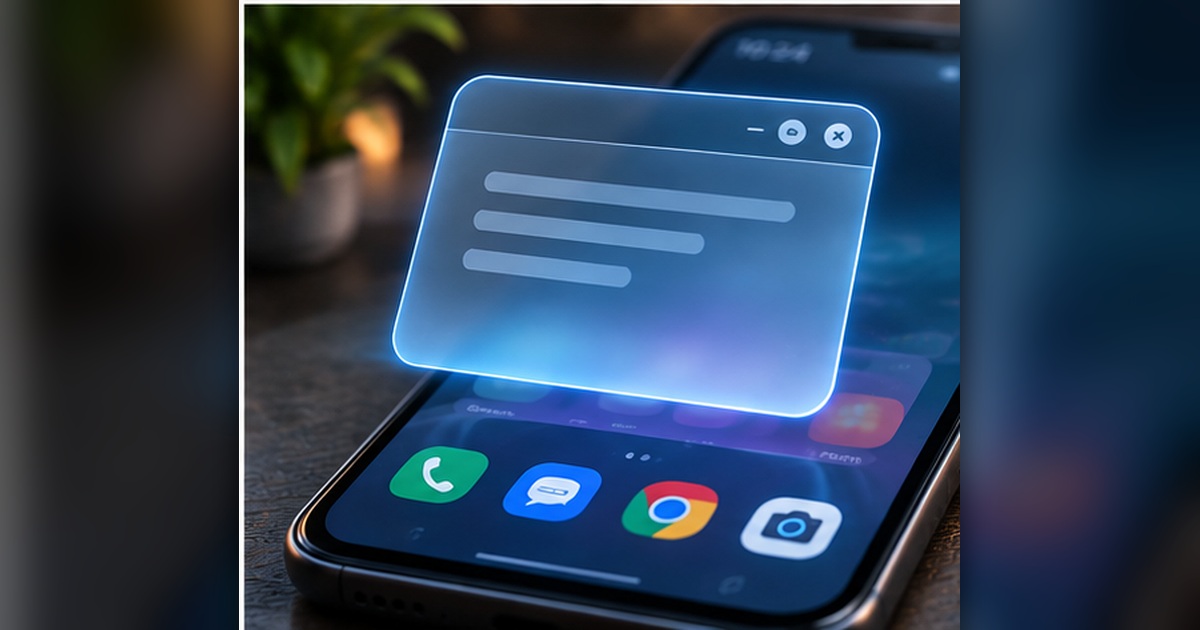
As you know a lot of application can show their views above all application.
You can see if in Facebook Messanger.
How to do it?
The Android API have SYSTEM_ALERT_WINDOW permission (“android.permission.SYSTEM_ALERT_WINDOW”).
The API said: “SYSTEM_ALERT_WINDOW Allows an app to create windows using the type TYPE_SYSTEM_ALERT, shown on top of all other apps.”
Lets see how it works.
Here is screenshot:
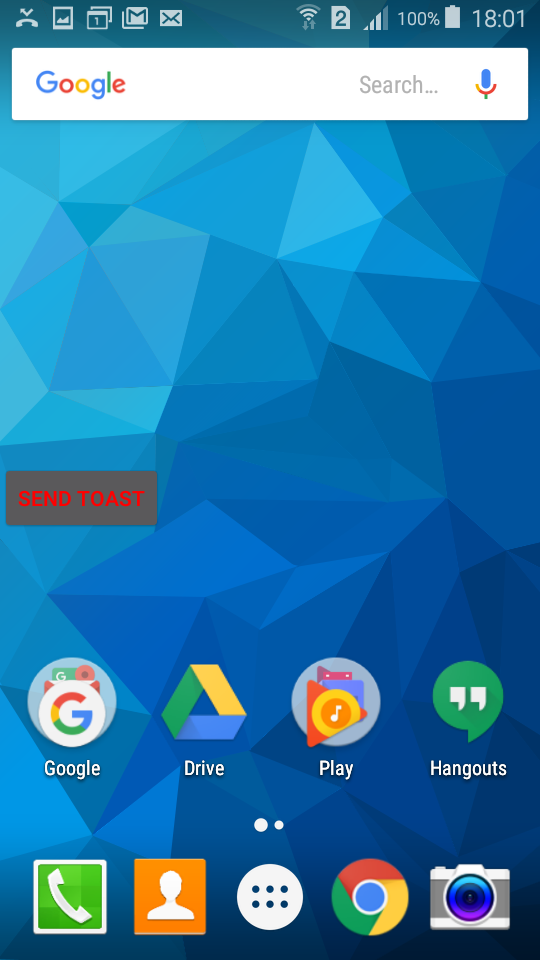
First you need create Android project.
2. Edit AndroidManifest.xml. Add android.permission.SYSTEM_ALERT_WINDOW permission.
<?xml version="1.0" encoding="utf-8"?>
<manifest xmlns:android="http://schemas.android.com/apk/res/android"
    package="com.hrupin.systemalertwindowsample">

    <uses-permission android:name="android.permission.SYSTEM_ALERT_WINDOW" />

    <application
        android:allowBackup="true"
        android:icon="@mipmap/ic_launcher"
        android:label="@string/app_name"
        android:supportsRtl="true"
        android:theme="@style/AppTheme"
        android:name=".App">

        <activity android:name=".MainActivity">
            <intent-filter>
                <action android:name="android.intent.action.MAIN" />

                <category android:name="android.intent.category.LAUNCHER" />
            </intent-filter>
        </activity>
    </application>

</manifest>
3. Create OverlayButton class
package com.hrupin.systemalertwindowsample;

import android.content.Context;
import android.graphics.Color;
import android.graphics.PixelFormat;
import android.os.Handler;
import android.os.Looper;
import android.util.Log;
import android.view.Gravity;
import android.view.MotionEvent;
import android.view.View;
import android.view.ViewGroup;
import android.view.WindowManager;
import android.widget.Button;
import android.widget.Toast;

import java.util.concurrent.atomic.AtomicInteger;

/**
 * Created by Igor Khrupin www.hrupin.com on 4/29/16.
 */
public class OverlayButton implements View.OnClickListener {
    private static final String TAG = "OverlayButton";

    private static final AtomicInteger sNextGeneratedId = new AtomicInteger(1);

    private final WindowManager mWindowManager;
    private final WindowManager.LayoutParams mOverlayParams;
    private Context mContext;
    private Button button;
    private Handler mHandler = new Handler(Looper.getMainLooper());
    private boolean mIsVisible = false;

    public OverlayButton(Context context) {
        mContext = context;

        remove();

        button = new Button(mContext);
        button.setId(generateViewId());
        button.setText("Send Toast");
        button.setTextColor(Color.RED);
        button.setOnClickListener(this);

        mWindowManager = (WindowManager) mContext.getSystemService(Context.WINDOW_SERVICE);


        mOverlayParams = new WindowManager.LayoutParams(ViewGroup.LayoutParams.WRAP_CONTENT,
                ViewGroup.LayoutParams.WRAP_CONTENT, WindowManager.LayoutParams.TYPE_PHONE,
                WindowManager.LayoutParams.FLAG_NOT_TOUCH_MODAL
                        | WindowManager.LayoutParams.FLAG_WATCH_OUTSIDE_TOUCH, PixelFormat.TRANSLUCENT);

        mOverlayParams.gravity = Gravity.CENTER;

    }

    public void attachToWindow() {
        Log.d(TAG, "attachToWindow");

        mHandler.post(new Runnable() {
            @Override
            public void run() {
                if (!mIsVisible && mOverlayParams != null) {
                    mWindowManager.addView(button, mOverlayParams);
                    mIsVisible = true;
                }
            }
        });
    }

    public void remove() {
        Log.d(TAG, "remove");

        mHandler.post(new Runnable() {
            @Override
            public void run() {
                if (mIsVisible) {
                    mWindowManager.removeView(button);
                    mIsVisible = false;
                }
            }
        });
    }

    @Override
    public void onClick(View v) {
        Toast.makeText(mContext, "Button removed", Toast.LENGTH_SHORT).show();
        remove();
    }

    public static int generateViewId() {
        for (; ; ) {
            final int result = sNextGeneratedId.get();
            // aapt-generated IDs have the high byte nonzero; clamp to the range under that.
            int newValue = result + 1;
            if (newValue > 0x00FFFFFF) newValue = 1; // Roll over to 1, not 0.
            if (sNextGeneratedId.compareAndSet(result, newValue)) {
                return result;
            }
        }
    }
}
4. Create Application class
package com.hrupin.systemalertwindowsample;

import android.app.Application;

/**
 * Created by Igor Khrupin www.hrupin.com on 4/29/16.
 */
public class App extends Application{

    private static App INSTANCE = null;

    @Override
    public void onCreate() {
        super.onCreate();
        INSTANCE = this;
    }

    public static App getInstance() {
        return INSTANCE;
    }

    public void showButton() {
        new OverlayButton(this).attachToWindow();
    }
}
5. Create Activity class. This one need for showing button in my case. You can use something another.
package com.hrupin.systemalertwindowsample;

import android.support.v7.app.AppCompatActivity;
import android.os.Bundle;
import android.view.View;
import android.widget.Button;

import java.util.concurrent.atomic.AtomicInteger;

/**
 * Created by Igor Khrupin www.hrupin.com on 4/29/16.
 */

public class MainActivity extends AppCompatActivity implements View.OnClickListener {

    private Button btn;

    @Override
    protected void onCreate(Bundle savedInstanceState) {
        super.onCreate(savedInstanceState);
        setContentView(R.layout.activity_main);

        btn = (Button)findViewById(R.id.btn_show_button);
        btn.setOnClickListener(this);
    }

    @Override
    public void onClick(View v) {
        App.getInstance().showButton();
        finish();
    }
}
You can download full source code from github

Hello,
I’ve created Telegram bot which help you get meaning of your or your friend’s name.
Very simple to work with @nameMeaningBot
Just send the name and you will get the answer.
Link to bot: telegram.me/nameMeaningBot
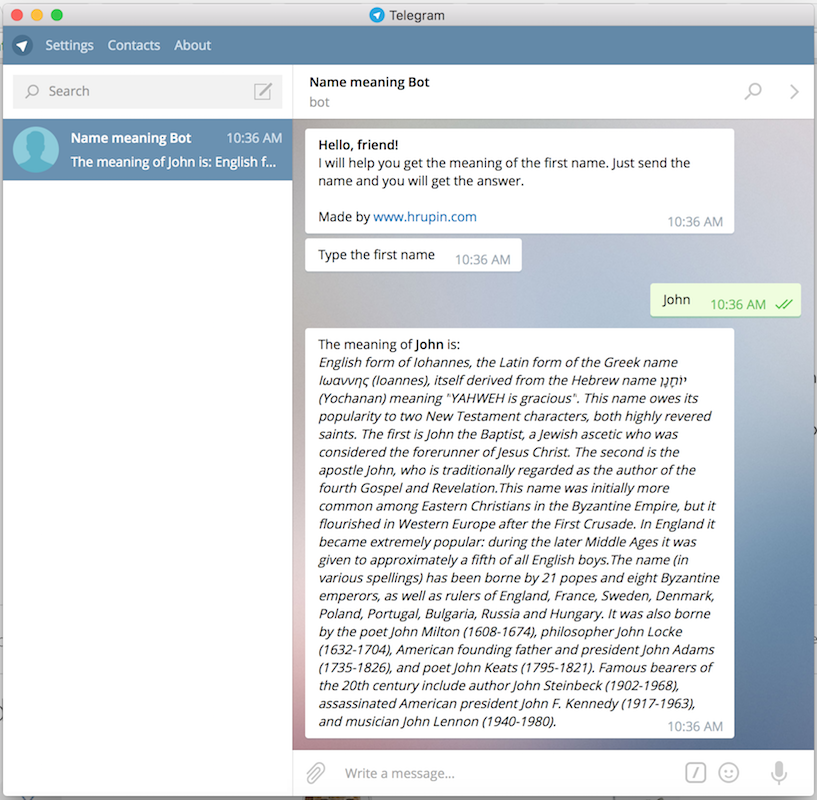
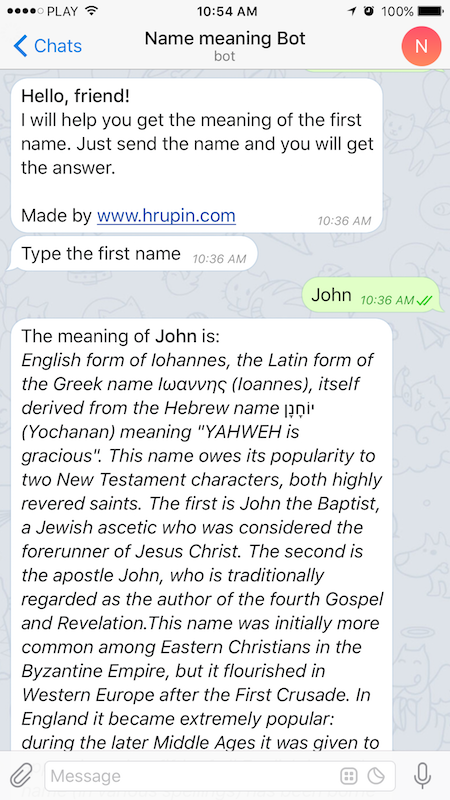
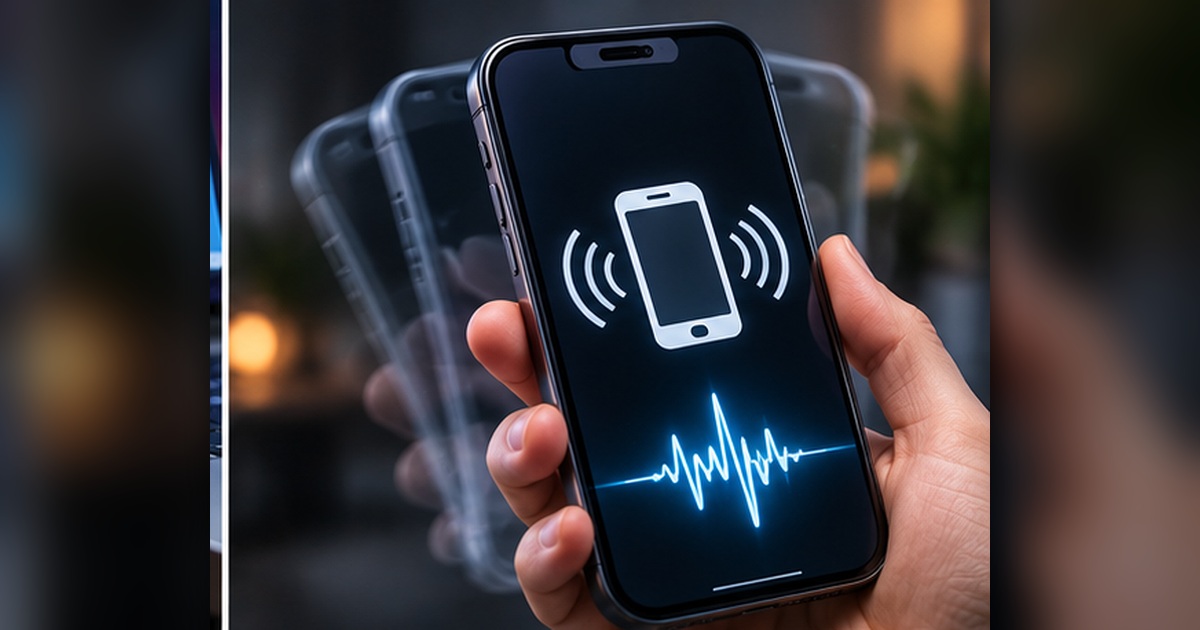
Here is sample application which demonstrate shake detecting.
This sample application go into red when shake detected.
Please look youtube video.
package com.hrupin.sample.shakedetect;

import android.app.Activity;
import android.graphics.Color;
import android.hardware.Sensor;
import android.hardware.SensorEvent;
import android.hardware.SensorEventListener;
import android.hardware.SensorManager;
import android.os.Bundle;
import android.view.View;
import android.widget.RelativeLayout;
import android.widget.TextView;

import java.security.cert.CollectionCertStoreParameters;


public class MainActivity extends Activity implements SensorEventListener, View.OnClickListener {

    private long lastUpdate = -1;
    private float x, y, z;
    private float last_x, last_y, last_z;
    private static final int SHAKE_THRESHOLD = 800;
    private SensorManager sensorMgr;
    private RelativeLayout background;
    private TextView text;
    private boolean isShaked = false;

    @Override
    protected void onCreate(Bundle savedInstanceState) {
        super.onCreate(savedInstanceState);
        setContentView(R.layout.activity_main);
    }

    @Override
    protected void onResume() {
        super.onResume();
        if(sensorMgr == null) {
            background = (RelativeLayout) findViewById(R.id.rlBackground);
            background.setOnClickListener(this);
            text = (TextView) findViewById(R.id.text);
            resetScreenUI();

            sensorMgr = (SensorManager) getSystemService(SENSOR_SERVICE);
            boolean accelSupported = sensorMgr.registerListener(this, sensorMgr.getDefaultSensor(Sensor.TYPE_ACCELEROMETER), SensorManager.SENSOR_DELAY_GAME);

            if (!accelSupported) {
                // on accelerometer on this device
                sensorMgr.unregisterListener(this, sensorMgr.getDefaultSensor(Sensor.TYPE_ACCELEROMETER));
            }
        }
    }

    @Override
    public void onSensorChanged(SensorEvent sensorEvent) {
        if (sensorEvent.sensor.getType() == Sensor.TYPE_ACCELEROMETER) {
            long curTime = System.currentTimeMillis();
            // only allow one update every 100ms.
            if ((curTime - lastUpdate) > 100) {
                long diffTime = (curTime - lastUpdate);
                lastUpdate = curTime;

                x = sensorEvent.values[0];
                y = sensorEvent.values[1];
                z = sensorEvent.values[2];

                float speed = Math.abs(x+y+z - last_x - last_y - last_z)
                        / diffTime * 10000;
                if (speed > SHAKE_THRESHOLD) {
                    // yes, this is a shake action! Do something about it!
                    isShaked = true;
                    background.setBackgroundColor(Color.RED);
                    text.setText("SHAKED!!! click for try again");
                    text.setTextColor(Color.YELLOW);
                }
                last_x = x;
                last_y = y;
                last_z = z;
            }
        }
    }

    @Override
    public void onAccuracyChanged(Sensor sensor, int i) {

    }

    protected void onPause() {
        if (sensorMgr != null) {
            sensorMgr.unregisterListener(this, sensorMgr.getDefaultSensor(Sensor.TYPE_ACCELEROMETER));
            sensorMgr = null;
            resetScreenUI();
        }
        super.onPause();
    }

    @Override
    public void onClick(View view) {
        if(isShaked){
            resetScreenUI();
        }
    }

    private void resetScreenUI() {
        background.setBackgroundColor(Color.WHITE);
        text.setText(R.string.shake_me);
        text.setTextColor(Color.RED);
    }
}
The full source code from Android project (Android Studio) is here:
I’m tired create link to source code in my blog.
So, what’s why I’ve created simple plugin which help me do it using shortcodes.
Here is how it looks on my page
Source code of page
[githublink url="https://github.com/ihrupin/samples/tree/master/php/githublink"]
Here is link to plugin’s source code
<?php
/*
Plugin Name: GithubLink
Plugin URI: https://www.hrupin.com/2014/12/wordpress-plugin-for-showing-link-to-github
Description: This plugin help show source link
Version: 1.0 BETA
Author: Igor Khrupin
Author URI: https://www.hrupin.com
*/

/*
DEMO List Posts (WordPress Plugin)
Copyright (C) 2014 Igor Khrupin
Contact me at https://www.hrupin.com

This program is free software: you can redistribute it and/or modify
it under the terms of the GNU General Public License as published by
the Free Software Foundation, either version 3 of the License, or
(at your option) any later version.

This program is distributed in the hope that it will be useful,
but WITHOUT ANY WARRANTY; without even the implied warranty of
MERCHANTABILITY or FITNESS FOR A PARTICULAR PURPOSE. See the
GNU General Public License for more details.

You should have received a copy of the GNU General Public License
along with this program. If not, see <http://www.gnu.org/licenses/>.
*/

add_shortcode("githublink", "githublink_function");

function sourcelink_function($atts) {
	$image_link = plugin_dir_url( __FILE__ ).'img/gitHub-download-button.png';
	$alt = 'Download it from github';
	$width = '230';
	$height = '70';
	$url = $atts['url'];

	return '<a href="'.$url.'" target="_blank"><img src="'.$image_link.'" alt="'.$alt.'" width="'.$width.'" height="'.$height.'" class="alignleft size-full wp-image-1595" /></a>';
}
?>
There was a problem to connect USB device to hosted Windows7.
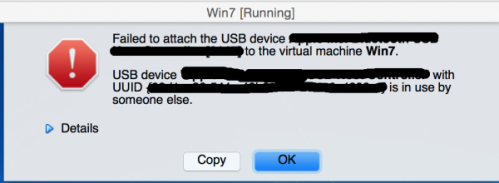
I always get “Failed to attach USB device to the virtual machine. USB device with UUID is in use by someone else” error. Screenshot:
To remove it I did the next:
– With the VM powered off, go to Settings–>USB and check “Enable USB 2.0 (EHCI) Controller”
– Turn on the VM and plug in the device
– Go back to Settings–>USB and create a USB device filter:
— Click the green plus
— Select your device from list
— Edit the filter properties. Just get context menu on device and select “Edit filter”
Name, Vendor ID, and Product ID are the only fields populated. All other fields should be blank, and Remote should be set to “Any.”
– Restart the VM and plugging in the device once the VM is running.
Hope it helps.
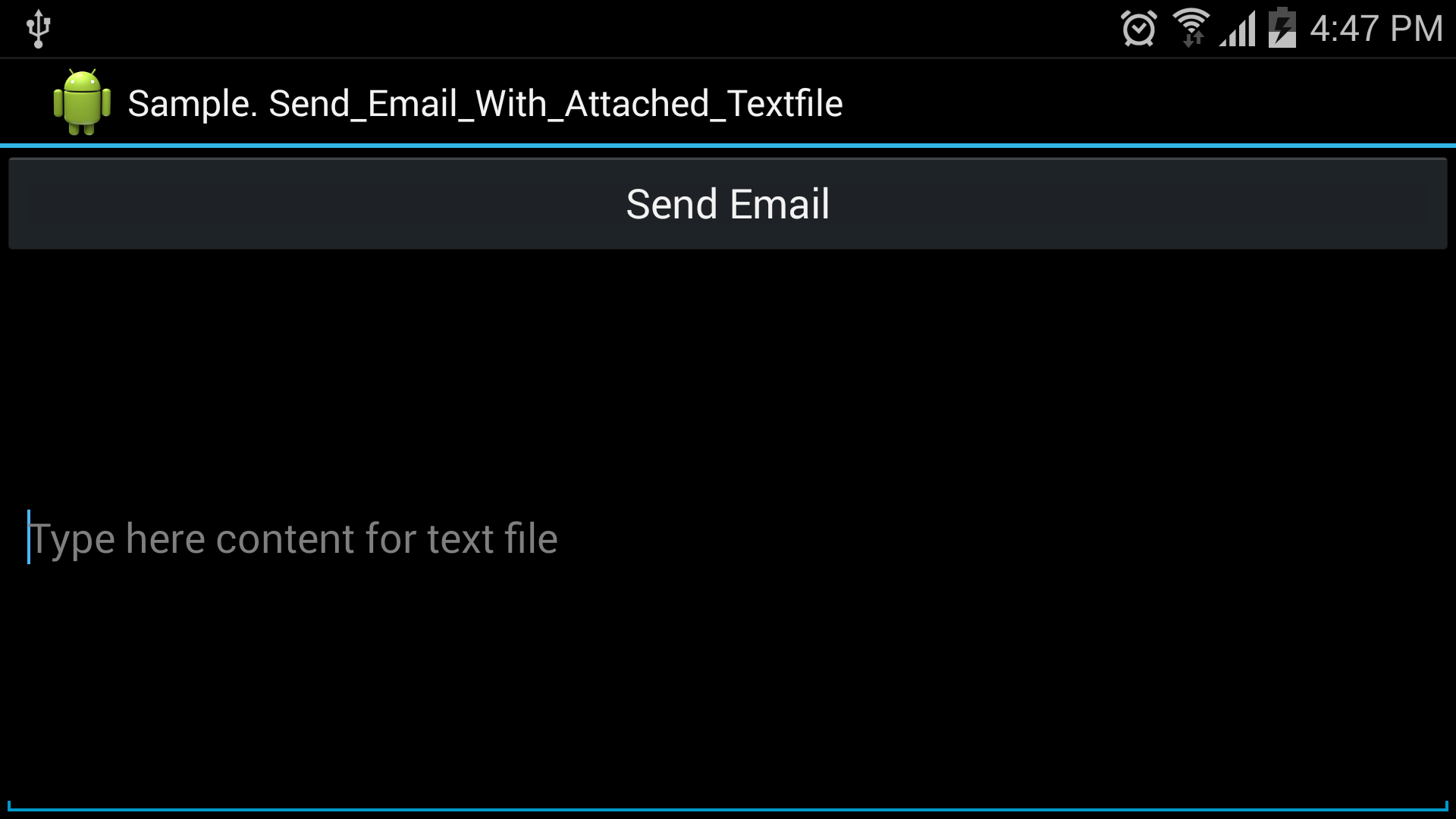
Here is little sample how to send email (send intent to Mail app) with text file as attachment.
Screenshot:
And here is source code of main feature:
private void sendIntentToGmailApp(File fileToSend) {
        if(fileToSend != null){
            Intent email = new Intent(Intent.ACTION_SEND);
            email.putExtra(Intent.EXTRA_SUBJECT, "Send Text File As Attachment Example");
            email.putExtra(Intent.EXTRA_TEXT, emailBody);
            email.putExtra(Intent.EXTRA_STREAM, Uri.parse("file://" + fileToSend.getAbsoluteFile()));
            email.setType("message/rfc822");
            startActivity(Intent.createChooser(email , "Send Text File"));
        }
    }
I make the text file with sample text before sending. This need to make this sample works.
The full MainActivity.java is:
package com.hrupin.samples.sendemail;

import android.app.Activity;
import android.content.Intent;
import android.net.Uri;
import android.os.Bundle;
import android.os.Environment;
import android.text.TextUtils;
import android.view.View;
import android.widget.Button;
import android.widget.EditText;
import android.widget.Toast;

import java.io.File;
import java.io.FileWriter;
import java.io.IOException;


public class MainActivity extends Activity implements View.OnClickListener {

    private static final String FILENAME = "TextFileToSend.txt";
    private Button btnSend;
    private EditText editText;
    private FileWriter writer;
    private String emailBody;

    @Override
    protected void onCreate(Bundle savedInstanceState) {
        super.onCreate(savedInstanceState);
        setContentView(R.layout.activity_main);

        btnSend = (Button)findViewById(R.id.button);
        btnSend.setOnClickListener(this);

        editText = (EditText)findViewById(R.id.editText);

        emailBody = "This is email from '" + getString(R.string.app_name) + "' application. Details you can read here: https://www.hrupin.com/2014/12/send-email-with-text-file-as-attachment-android-sample";
    }

    @Override
    public void onClick(View view) {
        File fileToSend = createFileWithContent(editText.getText().toString());

        sendIntentToGmailApp(fileToSend);
    }

    private void sendIntentToGmailApp(File fileToSend) {
        if(fileToSend != null){
            Intent email = new Intent(Intent.ACTION_SEND);
            email.putExtra(Intent.EXTRA_SUBJECT, "Send Text File As Attachment Example");
            email.putExtra(Intent.EXTRA_TEXT, emailBody);
            email.putExtra(Intent.EXTRA_STREAM, Uri.parse("file://" + fileToSend.getAbsoluteFile()));
            email.setType("message/rfc822");
            startActivity(Intent.createChooser(email , "Send Text File"));
        }
    }

    private File createFileWithContent(String content) {
        if(TextUtils.isEmpty(content)){
            content = emailBody;
        }
        File file = null;
        try{
            file = new File(Environment.getExternalStoragePublicDirectory(Environment.DIRECTORY_DOWNLOADS), FILENAME);

            writer = new FileWriter(file);
            writer.write(content);
            writer.close();
            Toast.makeText(getBaseContext(), "Temporarily saved contents in " + file.getPath(), Toast.LENGTH_LONG).show();
        }catch(IOException e){
            Toast.makeText(getBaseContext(), "Unable create temp file. Check logcat for stackTrace", Toast.LENGTH_LONG).show();
            e.printStackTrace();
        }
        return file;
    }
}
Don’t forget add permissions in the
<uses-permission android:name="android.permission.WRITE_EXTERNAL_STORAGE" />
<uses-permission android:name="android.permission.READ_EXTERNAL_STORAGE" />
Full source code you can fork from github